


How to integrate online and in-person check-in without duplicating reception work
In many small hotels, online check-in is added “on top of” in-person check-in. The result is not efficiency, but duplication: data is requested twice, signatures are repeated, payments are corrected at the last minute, and reception ends up checking reservations one by one. For the hybrid model to work, it needs to be designed a single flow, with a single source of truth and clarity on what is done online and what is validated at the counter.
It's not about adding more tools, but about correctly structuring the process to reduce queues, errors, and duplicated work, while maintaining the human element at arrival.

The typical problem: two check-ins = two processes (and nobody knows which one is in charge)
When online and in-person are managed as two separate paths, very recognisable symptoms emerge: the guest has already filled in details and is asked for them again; the booking seems “half-done” and someone has to check it manually; it's signed twice “just in case”; payment is taken online and then taken again at the counter (or the payment is left in limbo); and, at peak times, frustration grows because the guest expected to arrive quicker.
The root of the problem is simple: the hotel adds channels but doesn't redesign the process. The hybrid model requires that online check-in be a preparer Check-in, not a replica.
Core principle: a single source of truth and a clear check-in “state”.
To avoid duplication, anything the guest does online must land in a Single register (the guest's reservation and/or form). Furthermore, the hotel needs a simple “traffic light” system: a status that clearly indicates the current stage of each arrival.
That state doesn't need to be complex. What's important is that anyone on the team can look at a booking and understand, in seconds, if it's ready for a quick check-in or if it requires assistance.
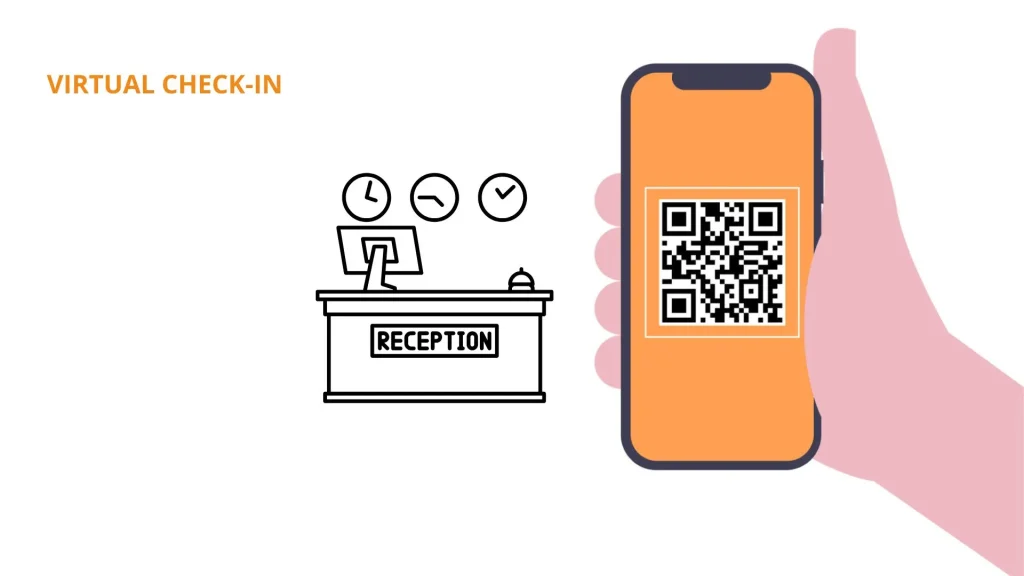
Communication between the online check-in process and the PMS, where all information will be stored, is paramount.
LEAN Hotel System features POK, a solution designed to optimise guest check-in and check-out processes. Among its key functionalities are pre check-in, which automates the sending of information before arrival, and virtual check-in, which allows the customer to complete their registration autonomously from their own mobile device.
Minimum states to define (and what each means)
A practical set for a small hotel could be:
- Awaiting data: basic information is missing to prepare for arrival.
- Full data (online)The guest has already completed what was requested; there's no need to ask them again.
- Awaiting verificationIdentity and/or payment needs to be validated as per procedure.
- Check-in completeArrival closed, keys handed over, check-in completed.
- Incident / requires assistanceThere is something that breaks the flow (failed payment, discrepancy, special case).
With this, the team avoids the “I don’t know if it’s done” that triggers duplication.
What should be done online and what should be reserved for the counter
The most effective way to divide tasks is by objective: online to gather and prepare; in-person to validate and resolve exceptions.
Online: data, preferences and payments (saving you real minutes)
Online check-in makes sense for including things that take up time at the counter and can be completed without pressure: required details/documentation, estimated arrival/departure time, basic preferences, acceptance of terms and conditions, and, if your policy defines it, payment or deposit. Optional upsells can also be incorporated, as long as they don't turn the process into an “endless form”.
In-person: quick verification, welcome, and special case resolution
At reception, the focus should be brief and human: validate identity according to procedure, hand over keys, give a short, useful explanation (access, key times) and resolve exceptions. This includes cases such as corporate billing, groups, special needs, last-minute changes or issues that online cannot resolve.
The recommended hybrid flow step by step
A blueprint applicable to a small hotel generally follows this order:
- The booking is entered into the system.
- Online check-in is sent if applicable (not to everyone indiscriminately).
- The guest completes data and the status changes to “Data complete”.
- The reception should only check items that are “Pending” or “Incident”, not all reservations.
- On arrival, a quick check is carried out and check-in is completed in 1–2 minutes if everything is correct.
- There is a record and traceability: who validated, what was charged, and if there were exceptions.
This approach turns the online channel into a work-reducing filter, not a back-office generator.
Critical point: “prior review” of receipt without reviewing all reservations
Pre-review should be by exception. A useful practice is to set aside 10–15 minutes each day to look only at the next day's arrivals and filter: what is incomplete, what has alerts, what has recent changes. If the team forces itself to review all bookings, online ceases to save time.
How to avoid the 5 most common duplicates
The integration always fails at the same points. Here the approach is “problem → cause → process solution”.
Duplicate 1: documents and data requested twice
Problem The guest has already completed it, but reception is asking again.
Cause: There is no clear state or the data is not trusted.
Solution: status + verification checklist: if “Complete Data” is selected, at the counter only identity is validated according to procedure, without repeating forms.
Duplicate 2: repeated signature/acceptance
Problem The guest accepts/signs online and is then asked to sign again.
Cause: The single point of acceptance is not defined.
Solution: decide on a single primary moment (online or in-person) and reserve exceptions for specific cases (e.g., when online was not completed or there's an issue).
Duplicate 3: inconsistent charges (online vs counter)
Problem Outstanding payments, double charges or amounts that do not add up.
Cause: It is not decided what is charged where and how it is recorded.
Solution: Define simple rules: what is charged online (if applicable), what is charged on arrival, what is a deposit/guarantee, and how it is reflected in the single record. Always with consistent amounts and policies.
Duplicate 4: Duplicate messages (OTA + hotel + reminders)
Problem The guest is receiving too many messages and is getting confused.
Cause: There is no cadence strategy or consolidation.
Solution: Reduce impacts, consolidate into a useful message (e.g. a link with actions) and use conditional reminders only if something is missing.
Duplicate 5: same guest “managed” by two people without coordination
Problem Two people do the same thing or make different decisions.
Cause: There is no clear ownership or internal notes.
Solution: Minimum roles: who reviews pending items, who closes check-in, who manages incidents; and brief internal notes for shift handover.
Scenario design: how to handle cases that break the flow

The hybrid model works if it has “outputs” for exceptions. Typical scenarios:
- Late arrivals Clear instructions and access process; avoid relying on improvisation.
- Groups pre-collect data where possible and bulk close with a responsible party.
- Company car with invoice: Defined procedure for fiscal data and authorisation; no improvising at the counter.
- Children Additional validations in accordance with internal regulations/procedures.
- Third-party card Clear policy and verification according to hotel criteria.
- Same-day booking modifications: Red flag for quick review.
Plan B: when to move from online to assisted check-in
Triggers for assistance: incomplete data, invalid or unverifiable document, failed payment, discrepancies in names/conditions, booking with special needs, or any issue requiring human judgment. Plan B prevents the guest from getting stuck and protects the experience.
Team Organisation: Roles, Checklists and Minimum Training
To ensure the system doesn't depend on one person, define simple and sustainable roles:
- Who checks pending items (short daily window).
- Who closes check-ins On the turn.
- Who manages incidents And when does it escalate.
Accompany it with 1-page SOPs: quick check-in, verification, payments, room changes, incidents. And a brief welcome script: just enough to maintain human interaction without lengthening queues.
Metrics to check you are not duplicating work
A complex dashboard isn't necessary. With these indicators, you can already see if the hybrid is working:
- % online check-ins completed.
- Average time at counter (especially during peak hours).
- Number of incidents due to incomplete or duplicate data.
- Number of corrected charges or amount discrepancies.
- Complaints regarding the check-in process and queues during peak times.
If the online [time] rises and the counter [time] doesn't drop, there's normally duplication or a mass review.
Common errors when integrating online + in-person (and how to avoid them)
Typical failures include launching online without clear statuses, not deciding what is done where, reviewing all bookings, not having a plan B, duplicating communications, and not training the team on the new workflow. Prevention involves returning to the basic principles: a single workflow, statuses, exception-based review, and clear roles.
FAQs on integrating online and in-person check-in
What should the online guest do and what should I do at reception?
Adaptability allows sales teams to adjust their strategies according to customer trends and preferences. In a changing marketplace, it is vital that the sales team responds quickly to customer expectations, maximising conversion opportunities.
How do I avoid requesting documents twice?
Define check-in states and a verification checklist. If the reservation is in “Full data (online)”, at the counter, forms are not repeated: identity is validated according to procedure and check-in is closed. The duplicate appears when there is no visible state or when the team does not trust what is already registered.
What do I do if a guest does not complete online check-in?
Activate Plan B: assisted check-in at reception and priority for outstanding tasks to avoid queues. If your strategy allows, send a conditional reminder before arrival (only to those who haven't completed it) and keep the in-person process ready for a quick close. The goal is fluidity, not “forcing” online.
How do I manage payments to avoid errors between online and in-store?
Clearly define what is charged online and what is charged upon arrival (stay, deposit, extras) and ensure everything is recorded in a single place. Avoid charging the same amount in two different places and check for consistency in amounts and policies. When discrepancies arise, it is usually due to a lack of rules or incomplete records in the workflow.
What are the minimum KPIs to know if the hybrid is working?
Three metrics usually suffice: percentage of online check-ins completed, average time at the desk (especially during peak times), and number of incidents/corrections (repeated data, amended payments, duplicate signatures). If online completion increases and times and incidents decrease, the single flow is working.
You may also be interested in


REQUEST YOUR DEMO TODAY
Discover how Lean Hotel System can transform your hotel business