


Common errors when configuring a PMS in hotels and how to avoid them
Setting up a PMS is not just about “signing up the hotel” and getting to work. The initial setup defines how rooms, rates, reservations, users, integrations, automations, and guest data will be managed. If this foundation is laid in haste or without operational logic, errors will later appear at reception, in revenue, housekeeping, and administration.
This happens more often than you might think: rates that don't add up, duplicate profiles, excessive permissions, integrations that fail, or teams reverting to Excel because they don't know how to use the system properly. The good news is that most of these problems can be prevented if the PMS is configured with the hotel's daily operations in mind.
Setting up a PMS is more than just “registering the hotel”.”
A well-configured PMS acts as the hotel's control centre. But for it to function that way, the configuration must reflect how the team actually works: what room types are sold, what rates exist, what channels are used, what permissions each profile needs, what processes are automated, and what guest data needs to be kept clean.
Many problems don't stem from the software itself, but from incomplete, inconsistent, or disconnected configuration from day-to-day operations. That's why it's advisable to treat implementation or reconfiguration as an operational project, not just a technical one.
Error 1: Creating room types without logical operation
The room structure is one of the foundations of the PMS. If it's created incorrectly, everything else becomes complicated: availability, allocation, upgrades, reporting, rates, and communication with channels.
Common mistakes: unclear names, duplicate categories, physical rooms that don't match sellable types, or an excessive difference between how revenue sells and reception operates. For example, if commercially a “superior double garden view” is sold, but reception works with ambiguous internal names, last-minute changes and desk confusion increase.
How to check if your room types are configured correctly
Conduct a mini-audit comparing four realities: PMS, Booking Engine, OTAs, and Actual Physical Rooms. Review names, capacity, bed type, views, amenities, restrictions, and actual differences between categories.
The key question is: does the team understand what's being sold in the same way as the guest? If the answer is no, there's a risk of complaints and misallocation.
Error 2: poorly structured or inconsistent tariffs across channels
The pricing configuration directly affects revenue, parity, and guest confidence. If prices are set up incorrectly, you might find different prices across channels, inconsistent cancellation terms, overlapping promotions, or bookings with rules that reception doesn't understand.
It is also common to find duplicate plans, old active rates, or discrepancies between what is configured in the PMS and what is displayed on the Channel Manager or OTAs. At this point, centralised rate management with real-time bidirectional communication between the PMS and Channel Manager, as LEAN allows, helps to avoid inconsistent pricing and synchronisation errors.
Signs that your pricing structure needs a review
There are several clear signs: reception enquires about prices outside the PMS, the team doesn't know which rate applies, differences appear between the website and OTAs, amounts are corrected manually, or bookings arrive with unexpected conditions.
If the team needs to “interpret” the fee every time, the setup isn't clear enough.
What to check before activating a new tariff
Before publishing a price, check:
- Clear internal name.
- Channel where it applies.
- Cancellation policy.
- Diet included.
- Taxes.
- Restrictions.
- Active dates.
- Relationship with base rate.
- Channel Manager synchronisation.
This checklist prevents errors before actual bookings are made.
Error 3: Users with excessive or poorly defined permissions
Not all profiles need to see or modify the same things. Granting excessive permissions can lead to errors, accidental changes, and unnecessary exposure of sensitive information.
Typical errors: shared users, reception with access to advanced configuration, old profiles that are never reviewed or temporary staff with more permissions than necessary. In addition to security, this also affects usability: the more complex the panel, the easier it is to make mistakes.
What should each profile see within the PMS
As a general rule:
- ReceptionReservations, arrivals, departures, payments, notes, and room statuses.
- AddressReports, configuration and general control.
- AdministrationInvoicing, tax details and collections.
- Housekeeping: statuses, tasks and incidents if applicable.
- Revenue: tariffs, availability, restrictions and commercial reporting.
The idea is simple: each user should see what they need to work well, not everything that's possible.
Error 4: do not activate automations and continue working as before
A common mistake is to implement a modern PMS and continue to manually perform tasks that could be automated. The hotel buys technology, but retains handwritten notes, WhatsApp alerts, paper reminders, and rules that depend on the team's memory.
This significantly reduces the system's value. LEAN, for example, includes ready-to-use automations for bookings, groups, and payments, without the need for complex technical setup. The key is to activate those that make operational sense from the start.
Basic automations to consider activating from the start
Some high-impact automations:
- Alerts by booking type.
- Automated notes.
- Rules per tariff.
- Payment terms.
- Internal reminders.
- Basic guest segmentation.
- Group processes.
- Notices for bookings with special conditions.
It's not about automating everything, but the repetitive and predictable.
How to avoid automations that generate more noise than help
Start with a few rules, test them, and review if they actually reduce work. Poor automation can lead to more alerts, duplication, and confusion.
The correct criterion is: if a rule helps to make better decisions or avoids a repetitive task, it makes sense. If it only adds notifications, it's probably a nuisance.
Error 5: Poorly connected or inadequately tested integrations
Integrations with Channel Manager, booking engine, payment gateway, housekeeping or accounting must be tested before operating in a live environment. Otherwise, the PMS ceases to be a source of control and becomes a source of errors.
Common issues: bookings not being entered, cancellations not syncing, payments not being reflected, duplicate charges, out-of-date availability, or room statuses not updating correctly.
Minimum tests before signing off an integration
Before signing off on an integration, it's advisable to test:
- Make a reservation.
- Modify it.
- Cancel it.
- Check tariff and conditions.
- Check availability.
- Make a trial payment if applicable.
- Review that everything is registered in the PMS.
The test should not be limited to “it seems connected”. It has to simulate real-world scenarios.
Error 6: Create duplicate guest profiles
Duplicate profiles may seem like a minor issue, but they affect experience, loyalty, billing, and personalisation. If the history is fragmented, preferences, previous purchases, useful notes, and reliable contact details are lost.
LEAN includes automatic detection of matches by percentage of similarity: before creating a new profile, the system warns if a similar one already exists. This helps to avoid duplicates from reception and improves the quality of guest data.
Why duplicates appear more than they seem
They tend to appear due to bookings from different OTAs, variations in names, different emails, manual errors, misassociated corporate profiles, or repeat guests with incomplete data.
For example, “Juan García”, “J. García”, and “Juan Garcia López” could end up as three distinct profiles if no one checks for matches.
What data is worth reviewing before creating a new profile
Before creating a profile, please check:
- Name and surname.
- Email.
- Telephone.
- Document applies.
- Associated company.
- Previous bookings.
- System-suggested matches.
A few seconds of review prevent years of fragmented history.
Error 7: migrating old data without cleaning it first
Migrating “everything as is” from an old system can drag chaos into the new PMS. Duplicate guests, obsolete rates, old room types, poorly created companies, useless notes, or incomplete data don't disappear just by changing software.
Before importing, it's worth deciding what's worth keeping, what needs cleaning up, and what's best not to migrate. A new PMS shouldn't inherit problems that were already hindering operations.
What data is worth cleaning up before a migration
Prioritise cleaning of:
- Frequent guest profiles.
- Businesses and corporate accounts.
- Active rates.
- Room types.
- Users and permissions.
- Payment methods.
- Communication templates.
- Tax information.
Migration is an opportunity to organise, not just to copy.
Error 8: configuring the PMS without considering reception
Many configurations are decided by management, IT, or administration, but reception suffers the most from errors. If the system has too many mandatory fields, saturated screens, unintuitive names, or irrelevant alerts, the team will look for shortcuts.
And shortcuts often end up in Excel, WhatsApp, out-of-system notes, or duplicated processes.
Questions you should ask the team before closing the configuration
Before closing the settings, ask the team:
- What do you consult every day?
- What errors are repeated?
- What information do you need during check-in?
- What tasks do you duplicate?
- Which fields do you never use?
- Which alerts are useful and which are just annoying?
Involving real users improves adoption and reduces friction.
Error 9: failing to properly plan the team's onboarding
A PMS can be implemented quickly if the system is agile, but actual adoption depends on training. If the team doesn't understand the daily workflows, fear of the system, manual errors, and a return to parallel tools will emerge.
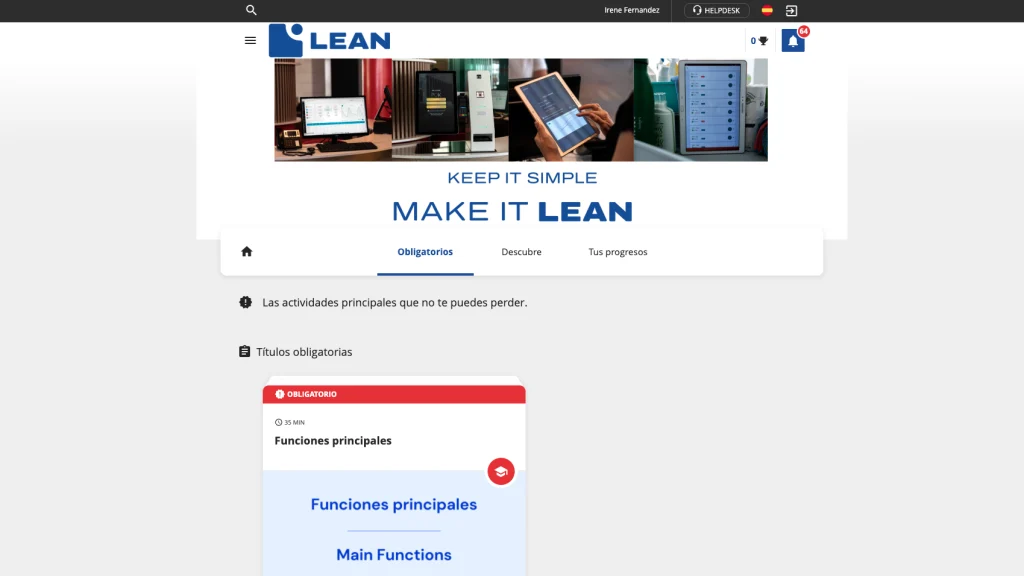
This is where LEAN Academy fits in: courses and certifications help the team adopt the PMS from day one, learn processes in a structured way, and gain autonomy without always relying on a senior person.
What should useful initial training include
Useful training should not just be “staring at screens”. It should include:
- Daily flows by role.
- Practical exercises.
- Checklists.
- Common errors.
- Permissions by user.
- How to report incidents.
- Where to ask for help.
Training should mirror actual work, not be a generic demo.
Final checklist: review these points before considering your PMS configured
Before considering the PMS ready, check:
- Room types and correspondence with physical reality.
- Tariffs, terms and conditions, and restrictions.
- Connected channels.
- Users and permissions.
- Basic automations.
- Proven integrations.
- Guest profiles and duplicate control.
- Data migrated and cleansed.
- Communication templates.
- Initial training by role.
- Real-world tests before operating with reservations in production.
A well-configured PMS doesn't just prevent errors: it allows the team to work with less friction from day one.
Frequently asked questions about errors when configuring hotel PMS
The most common error when configuring a hotel PMS is not properly mapping room types, rates, and services to the system's available options.
The most common mistake is configuring it without considering daily operations. Room types, rates, users, permissions, and integrations must reflect how the hotel actually works. If configured purely as a technical installation, problems will later appear at reception, revenue management, housekeeping, and administration.
Why is setting up rates correctly in the PMS so important?
Because rates affect availability, OTAs, parity, booking conditions, and revenue. A poorly synchronised rate can lead to different prices across channels, bookings with unexpected conditions, or manual corrections. It is key to validate the PMS–Channel Manager communication before publishing or modifying rate plans.
How do I avoid creating duplicate guests in the PMS?
Reviewing matches before creating new profiles and using systems with automatic detection. In LEAN, the system can alert if a similar guest already exists by similarity percentage. It is also advisable to check name, email, phone number, document if applicable, and previous bookings before registering a new profile.
Which automations should I activate first in a PMS?
Start with rules that reduce repetitive work: alerts by booking type, automatic notes, payment conditions, processes for groups, internal reminders, and basic segmentation. The important thing is to activate a few useful automations, test them, and avoid them creating more noise than help.
How do I know if an integration is configured correctly?
An integration is well-configured when it passes real-world tests: creating, modifying, and cancelling bookings; checking availability and rates; verifying payments if applicable; and reviewing that everything is logged in the PMS. It's not enough for it to “connect”: it must behave correctly in usual operational scenarios.
What permissions should reception have in the PMS?
Reception should have access to what is necessary to operate: bookings, arrivals and departures, check-in/check-out, payments, room notes and statuses. It is advisable to avoid advanced configurations if they are not needed. This improves security, reduces errors and makes it easier for the team to train in daily use.
How long should the onboarding for a new PMS last?
Implementation can be quick if the system is agile, but actual adoption requires initial training by role and practice with daily workflows. Rather than just measuring days, it's important to ensure that reception, administration, housekeeping, and management know how to execute their critical tasks without reverting to parallel tools.
You may also be interested in



Adaptability in the sales process
Adaptability allows sales teams to adjust their strategies according to customer trends and preferences. In a changing marketplace, it is vital that the sales team responds quickly to customer expectations, maximising conversion opportunities.
REQUEST YOUR DEMO TODAY
Discover how Lean Hotel System can transform your hotel business