
Paperless check-in
y validated by the guest
No paper forms, no typing errors, no queues. The Front Desk App turns the tablet into the centre of the process: the guest validates their details and the receptionist controls everything from the PMS.
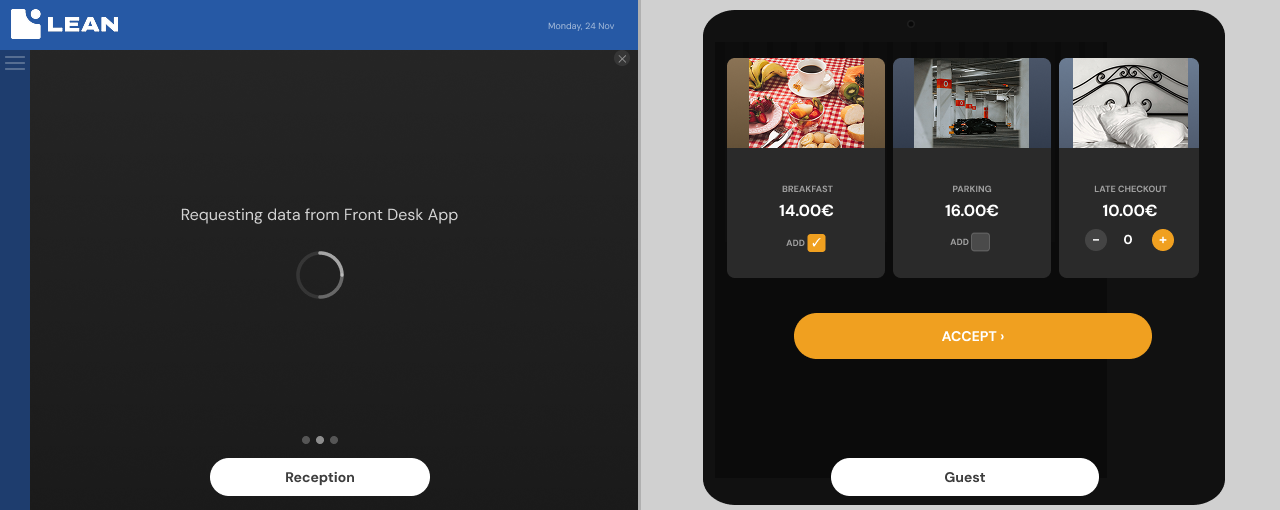
Assisted check-in from tablet, controlled from the PMS
The receptionist launches the process from LEAN PMS with a single click. The tablet activates and the guest completes and validates their own data directly. No double transcription, no typos, no friction. The PMS displays the real-time status of the process at all times.
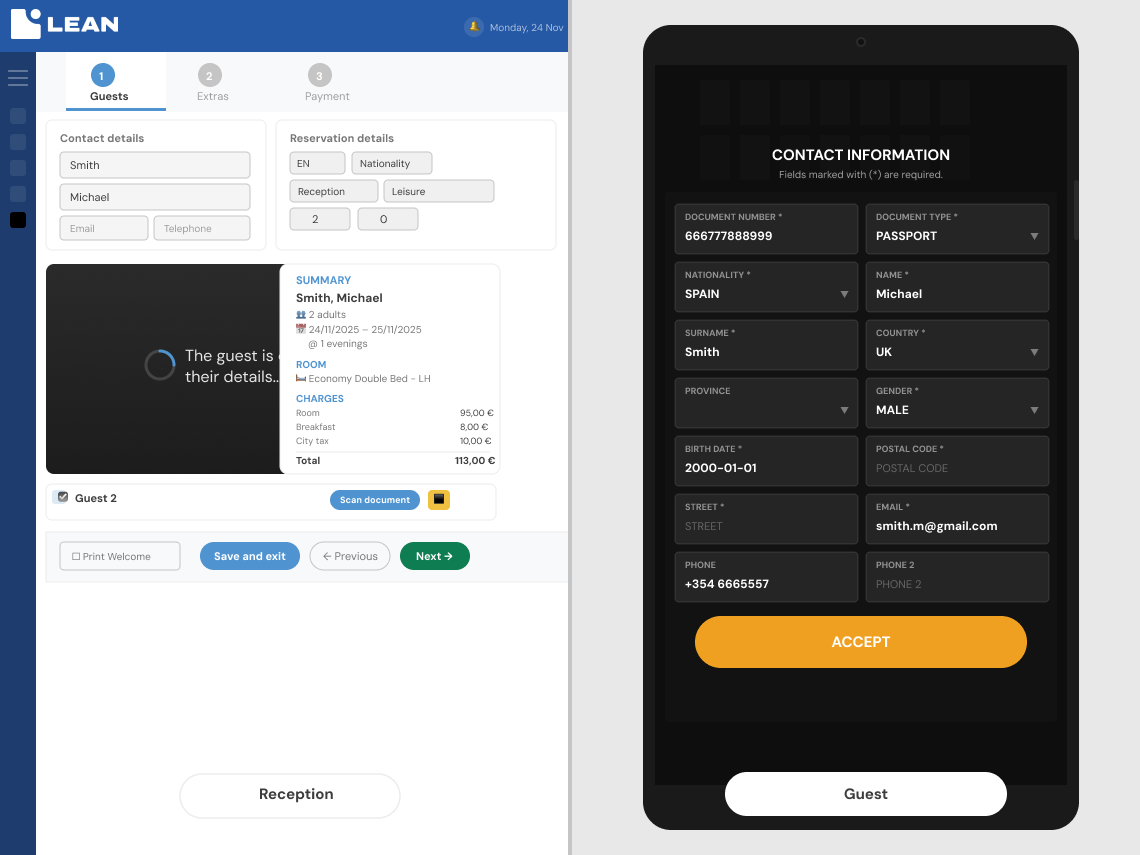
- The guest edits and confirms their details directly on the tablet
- Ability to copy companion data with a tap
- The receptionist sees the status of the process in the PMS in real time.
- The guest's record is updated automatically upon completion.
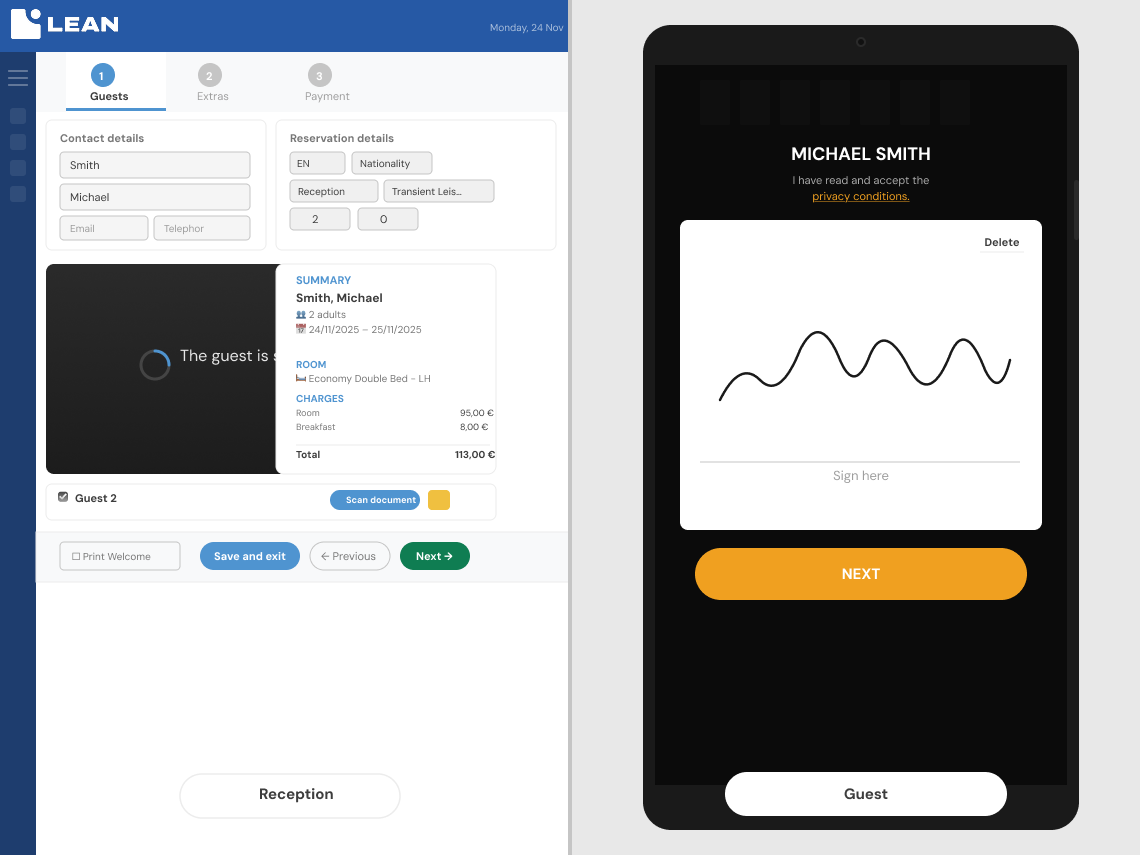
E-signature, terms and conditions, and email consent in a single step
Once the data has been sent to the tablet, each guest signs the document with their finger, accepts the general terms and conditions and ticks their email consent option. When all guests on the booking have their information complete, the receptionist presses Finish and everything is sent to LEAN PMS.
- Each guest signs individually and is marked in green upon completion
- Mandatory: signature, acceptance of terms and conditions, and email consent option
- The system indicates if the guest is exempt from signing based on country, age, or role.
- If a previous signature already exists, the system will display it
Pre-check-in completed, faster arrival at reception
If the guest completed the online Pre Check-in before arrival, the icon will automatically turn green and they can proceed directly to key handover. For groups or guests without Pre Check-in, you can request individual signatures from the list before starting the process. Extras are displayed on a tablet for the guest to approve, ensuring complete transparency.
- Pre-check-in completed = green icon on listing, no formalities at the counter
- Individual company anticipated for groups from the guest list
- The guest validates the selected extras directly on the tablet
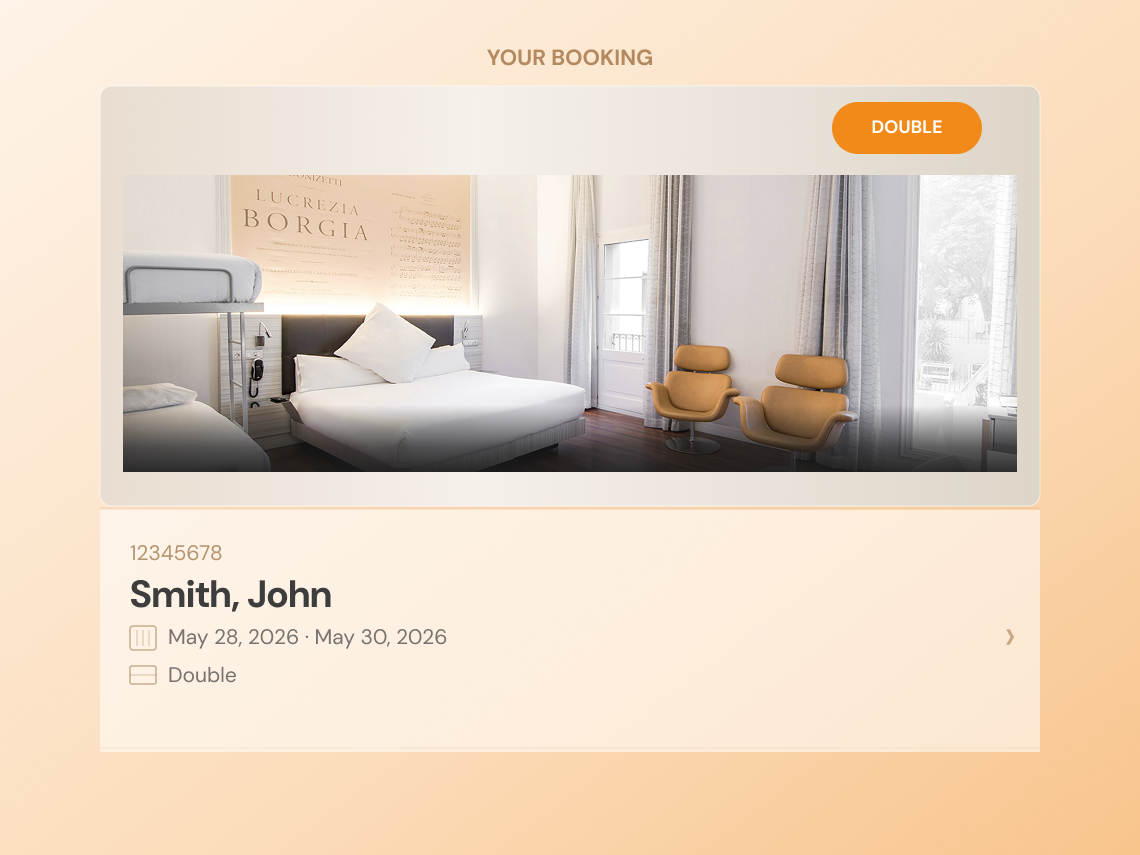
- Booking summary with dates, extras and conditions before checkout
Everything that Front Desk App includes
Each function is natively integrated with LEAN PMS to ensure the check-in process is fast, legal, and error-free from day one.
Hotel branded screensaver
The tablet displays images of the hotel when idle. Ideal for reinforcing brand image from the first visual contact with the guest at reception.
Guest data editing on tablet
The guest can edit their details directly on the tablet. They can also copy the main guest's contact details for the rest of the companions, avoiding entering them twice.
Cross-selling of extras on tablet
The extras screen is optional and configurable. The guest sees the available services, validates them directly from the tablet, and the extras are recorded in their booking.
Visual summary of the reservation
Before closing the check-in, the guest sees a summary with dates, number of people, selected extras, and applicable conditions. Clear closure, validated by the guest themselves.
Welcome screen on completion
Upon completing check-in in the PMS, the tablet displays a personalised welcome screen. The guest presses "Finish" or the app returns to the screensaver by itself in 30 seconds.
Control from the PMS at all times
The receptionist launches and controls the process from LEAN PMS. The PMS displays an informative message while the guest edits their details on the tablet, without needing to leave their post.
Reception and guest,
in perfect harmony
The Front Desk App is not just a screen at the counter. It's the layer that transforms a tedious process into an experience the guest remembers for its efficiency and modernity.
Data validated by the guest themselves, with no transcription errors
When the guest confirms their own details on the tablet, errors disappear completely. The receptionist stops being the typist and becomes the assistant. The guest record is correct from the very first moment – no subsequent corrections, no reissued invoices, no complaints at check-out. A piece of data captured correctly on arrival prevents ten problems during the stay.
Paperless and fileless legal compliance
Digital signature, acceptance of terms and conditions, and email consent are registered in LEAN PMS upon pressing Finish. No printing, no scanning, no folders. You comply with regulations without adding work to the team.
Express check-in if the guest has completed pre check-in
Guests who have already completed the online Pre Check-in are marked in green on the list. Reception knows at a glance that everything is ready and directs them straight to key handover, without forms or waiting at the desk.
More agile operational flow between shifts
Upon completing check-in, all information is recorded in LEAN PMS without manual intervention. The next shift finds complete records, saved signatures, and extras already noted. No pending items, no gaps.
More personable and guest-focused reception staff
By automating data capture and signatures, the reception team gains time to dedicate to direct care. Less paperwork, more presence.
Front desk connected to the hotel ecosystem
The Front Desk App works with LEAN PMS and recognises the Pre Check-in status so that reception, guest data, signature and extras all function in a single operation.
Launch and control from the PMS
The receptionist starts the process from LEAN PMS with a click. The check-in status is updated in real-time and the guest's record is ready in the PMS upon clicking "Finish".
The Pre Check-in status is visible
When the guest completes the pre-check-in, the status in LEAN PMS is updated. Reception sees this on the booking dashboard without needing to re-request details.
You only need one tablet at reception
The app is installed on an Android tablet and connects to the hotel's LEAN PMS. No additional hardware is required: the tablet becomes the guest's screen during the check-in process.
Designed for receptions that want to speed up arrival
A compact solution to reinforce commercial intent: hotels with high turnover, groups, chains, and accommodations looking for a digital reception without losing the human touch.
Urban hotels
Reduce peak-hour queues and allows the reception team to engage with guests while the tablet collects signatures, data, and consents.
Groups and multi-guest bookings
Manage individual signatures, companion data, and check-in statuses from a clear view connected to the PMS.
Chains and hotels with standardised processes
Unify the front desk experience across multiple establishments, with assisted check-in flow, documentation, and acceptance of terms and conditions.
More agile reception, more reliable data and less paper
“Assisted check-in allows us to maintain personal service while eliminating paper forms and transcription errors.”
“Tablet validation ensures the guest record reaches the PMS complete, avoiding later corrections.”
“The guest signs, accepts conditions and validates extras in a clear experience, without losing the receptionists” support.”
Digitise your reception and offer the best welcome
Assisted check-in from tablet, digital signature and integration with LEAN PMS for a paperless reception.
FAQ about Front Desk App for hotels
Quick answers for searches on hotel front desk, assisted check-in, paperless reception and PMS integration.
What is the Front Desk App?
It is an application for digitising the assisted reception and check-in process from a tablet. It allows the guest to validate their details, sign, accept terms and conditions, and confirm information while the receptionist maintains control from LEAN PMS.
Does the Front Desk App replace the receptionist?
No. It is designed to support the reception team. The receptionist continues to guide the arrival, but avoids paper forms, double data entry, and manual processes that generate errors.
Does it work with LEAN PMS and Pre Check-in?
Yes. The process is launched from LEAN PMS. If the guest has already completed the online Pre Check-in, the status in LEAN PMS is updated and reception sees it in green on the list, allowing for a quick arrival directly to key delivery.
Does it work for hotels with groups or several companions?
Yes. The app allows you to manage bookings with multiple guests: individual signatures, companion details and guest completion statuses before pressing Finish and sending everything to the PMS.
What is the difference between the Front Desk App and POK?
The Front Desk App is designed for assisted check-in at reception: the guest interacts with the tablet while the receptionist oversees the process from the PMS. POK is aimed at pre check-in and autonomous check-in, where the guest progresses through the process independently from their mobile phone or a terminal.